

Before first use
Select Wash in the menu and choose the Normal Program (1 h).

Congratulations on your new Lightfry! Start with a short wash program, then autoheat, to remove any particles from the oven.
Select Wash in the menu and choose the Normal Program (1 h).
Use autoheat in the main menu. Standby temperature is about 220 °C (428 °F). After a long idle period the machine cools automatically to save energy – press autoheat to reheat.

The quick menu shows up to four programs. Turn the basket door counter-clockwise, pull the basket out, load the product and keep the amount consistent with the program (e.g. 600 g of 6×6 mm fries). Close, then press cook.

Ten seconds before the food is ready the unit beeps twice – prepare a collection pan. When it beeps continuously and shows “pull out basket”, open the basket.

If no batch follows, slide the basket back leaving a 2 cm (1 in) air gap. Otherwise load new food and repeat – there is no recovery time between batches.
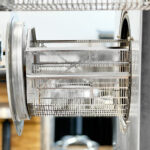
Remove the basket and place it on a heat-resistant surface to cool faster. Use the cool-down button in the wash menu. Never switch off before cool-down completes.
Remove the basket, open the main door and take out all components. Scrape off dirt from the oven bottom and wipe the door and gasket with a dry paper towel. Reinsert everything, close the door and chamber, then choose the long program in the wash menu after every shift. Check for leakage after starting – if there is none, the cycle needs no supervision. The user manual has more detail.
Our team is here to help you get the most from your Lightfry.